
I had just closed the laptop for lunch break, with 45 minutes to go before the next call. It's Monday. I walk to the kitchen and open the fridge: a head of cauliflower, and a couple of eggs. No time for fancy cooking (that's for Fridays!), I just need something quick and comforting. Staring at the stack of cookbooks, I am sure the right recipe is in there. But if I cannot find it in 3 minutes, my partner and I are having fried eggs on toast - again.
I'm flipping through the pages, starting to feel stressed. Then, I ask myself: What if, instead of a separate index in each cookbook, there was one unified database?
From prototype to production
It was during Covid. While others started making sourdough bread or kombucha, I got to work. I digitized and combined the indexes of my cookbooks into a single dataset. Using a SQLite database and Datasette as a light-weight web UI, I put together a quick prototype. I typed a keyword and - boom - I had a list of matching recipes, each with book and page reference, in an instant. Now, I just had to grab the physical book, open the page, and start cooking.
That first prototype only worked on my laptop. I wanted to be able to use it from my phone, share it with my partner, and eventually with others. Being a web developer, I already had the hammer: the Django web framework. Now, I had found a nail.
The recipe search
At first, the recipe search was just a simple text search. You type one or more words, hit enter, and get the results. Plain and simple.
While this worked, I knew that this was going to be the core feature of the site. I wanted something that is more intuitive and fun to use. I thought, why not try and implement type-ahead suggestions? So that's what I did. Let me show you how it works.
As soon as you start typing in the search bar, it shows matching keywords and ingredients. For example, if you type ca, several suggestions pop up, among them cauliflower.
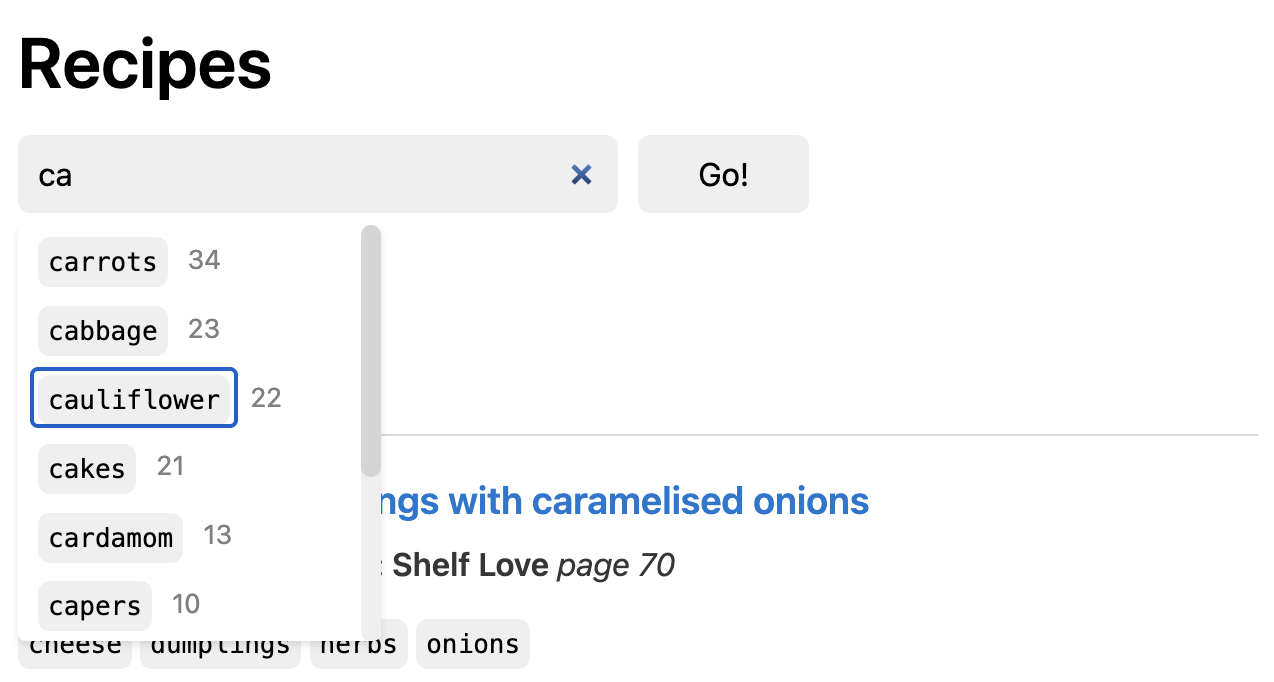
Do you notice the small number next to each suggestion? That is the number of matching recipes. This might seem like a small detail, but the counts are actually super useful. For example, I can see right away from the type-ahead suggestions that there are 22 results for cauliflower.
To select a keyword, you just click on it, or use tab to select, and hit enter. Matching recipes from the user's book collection show up, each one with a reference to book and page.
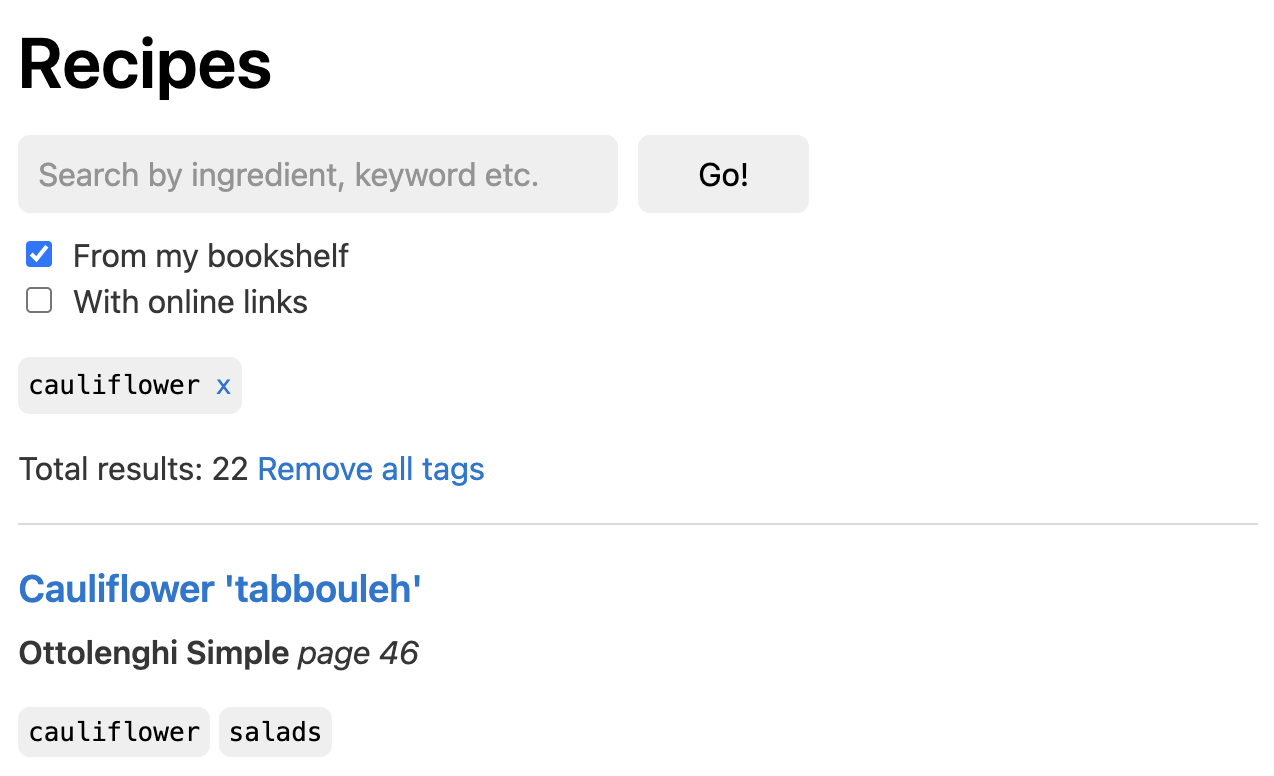
Below the search field, there are two checkboxes: If From my bookshelf is enabled, the search results are limited to the user's book collection (default). With the second checkbox, you can control whether you also want to include recipes that are only available online.
But wait - 22 recipes, that's quite a long list to choose from. Let's refine the search by adding another keyword.
If you click on the search field again, it will immediately display new suggestions: keywords that go well with what you have already selected. You don't even have to type anything!
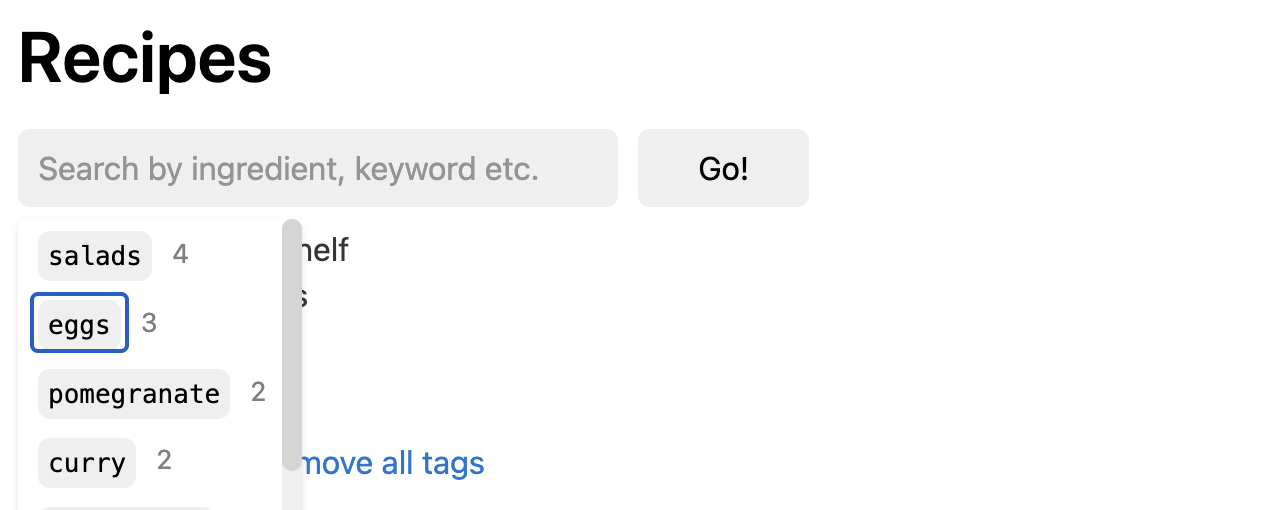
eggs is right there at the top, just after salads. And thanks to the small counts next to the suggestion, I can already see that will be 3 results for the combined keywords cauliflower + eggs. This list will be much easier to pick from.
The ability to combine keywords like this - step by step - makes it easy to refine the search. You can start with a broad search, and then add more keywords until you've found what you're looking for.
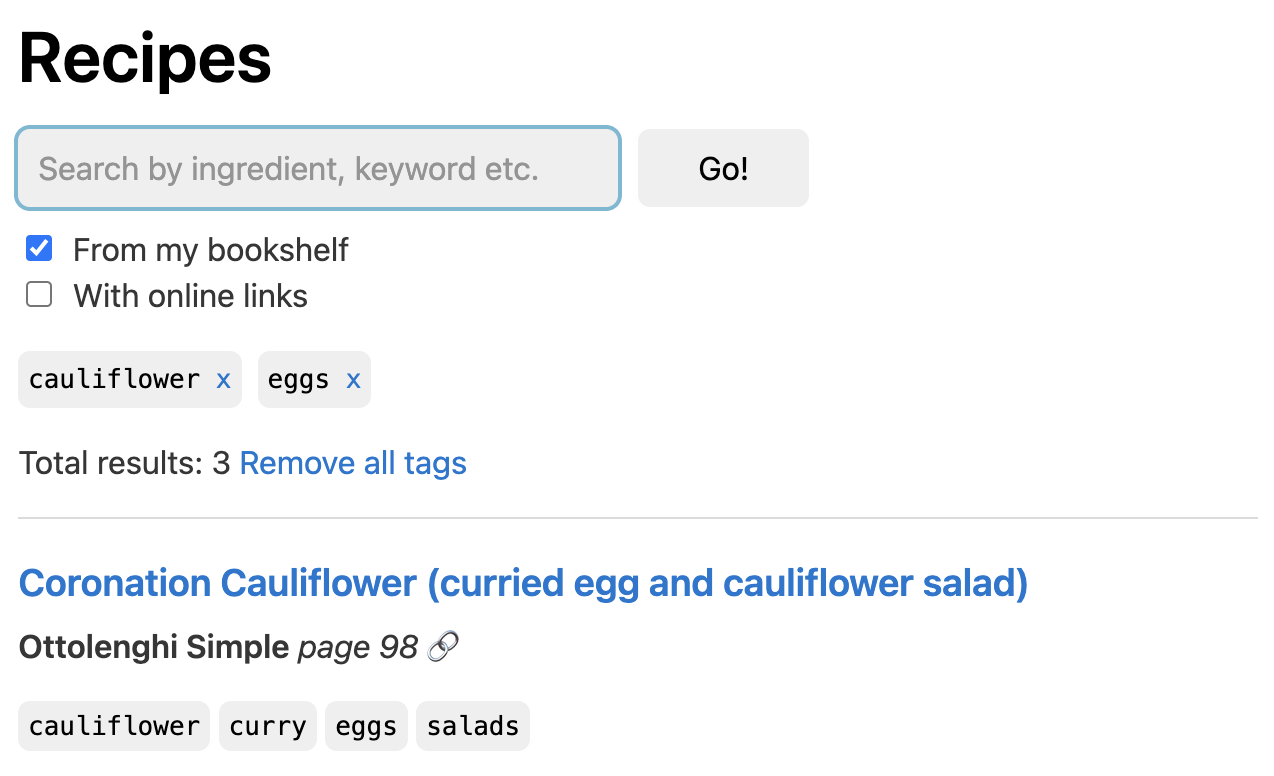
There we go, just three recipes to choose from for today's lunch. Within a few seconds, you have a couple of options for lunch with what you have at hand.
Dig in!
I'm proud to say that the website is live! 🚀
It's called FindThatRecipe.eu, and it's free to use!
It contains over 1300 recipes from nine cookbooks and one online source. You can find the list of indexed books here (Spoiler alert: If you're a fan of Yotam Ottolenghi, many books will be familiar to you).
Apart from the search, there is one more feature worth mentioning: The "Similar recipes" section at the bottom of each recipe detail page. It allows you to quickly explore alternatives or variants for each recipe.
A new world
This new way of searching recipes from my cookbooks has completely transformed the way I do meal planning and grocery shopping. In the past, I usually made a meal plan and wrote a shopping list before heading off to the groceries. Now, I'm freed up to buy whatever is fresh and seasonal. (Yes, the lovely rainbow chard and those fancy purple carrots from the farmers market!) It's very liberating not having to worry right away about what to do with it, because I know that I'll be able to find tasty recipes quickly when back at home.
Another change I've noticed: The meals I prepared got more varied. Instead of being caught in a repeat cycle of the same set of go-to recipes over and over again, I started discovering new recipes I had never looked at before. It was like someone handed me the keys to a treasure chest full of new flavors and ideas - my cookbook collection. It was there all along, sitting on the kitchen cupboard, I just wasn't able to fully access it - until now.
The next chapter
You might have noticed the design of the website is currently very basic. Luckily, my wife and fellow foodie, Rebekka, is a professional web designer. I'm exited that she is joining the mission, and that she started working on a brand and a new design for the website.
A big goal is to add more cookbooks to the site. For that, I'll need your help. Is your favorite book not yet in the database? If so, please let me know. I'd love to help getting it indexed, to unlock this treasure chest for you, and many others.
Beyond that, I have many ideas on how to take it further: Full ingredient lists for easier meal planning, community notes, and shareable recipe collections (so you can easily share all the amazing recipes from your dinner party with your guests).
I'm also planning to write blog posts about some of the technical aspects of the website, such as the type-ahead suggestions, or the similar recipe feature.
Get cooking!
When the lunch break timer starts, do you feel stressed, trying to find a dish that's quick to make, with what you have at hand? Head over to FindThatRecipe.eu, and try out the search. I'm sure you'll find many tasty recipes - from the cookbooks that are sitting on your shelf.
Why not try that lovely Coronation Cauliflower (curried egg and cauliflower salad) for lunch? It should be good to go in about 30 minutes. And don't worry too much about the fresh tarragon. You can use other greens instead (parsley, chives, etc.), or just leave it out. It'll still taste great.
Enjoy! 🧑🍳